
Rooms & photo order
Group photos by room, arrange the rooms, and drag photos into the sequence you want.
Read the guide Walkthrough
For photographers & real estate agents
Prepare your photo folder for the MLS. Group photos by room, set their order, and preview filenames before renaming the set.
macOS 14+ · Apple silicon & Intel · No account required


BEFORE THE MLS UPLOAD
Your photos still need to be grouped, ordered, and named for the listing. Walkthrough keeps those steps in one workspace.
Use it to prepare a client delivery or organize the photos you’ll upload yourself.
A SIMPLE PLAN
Open your JPG folder. Group the photos by room, then arrange the rooms and the images within them.
Add the listing address, choose a naming preset, and preview consistent filenames for every photo.
Add any final edits, then rename, copy, or move your files. Hand off the set or upload it to the MLS.
01 / ORGANIZE THE SET
Group photos by room, then drag the rooms and photos into the order you want.
Save a room template to reuse your usual room list and order on the next listing.
Explore the workspace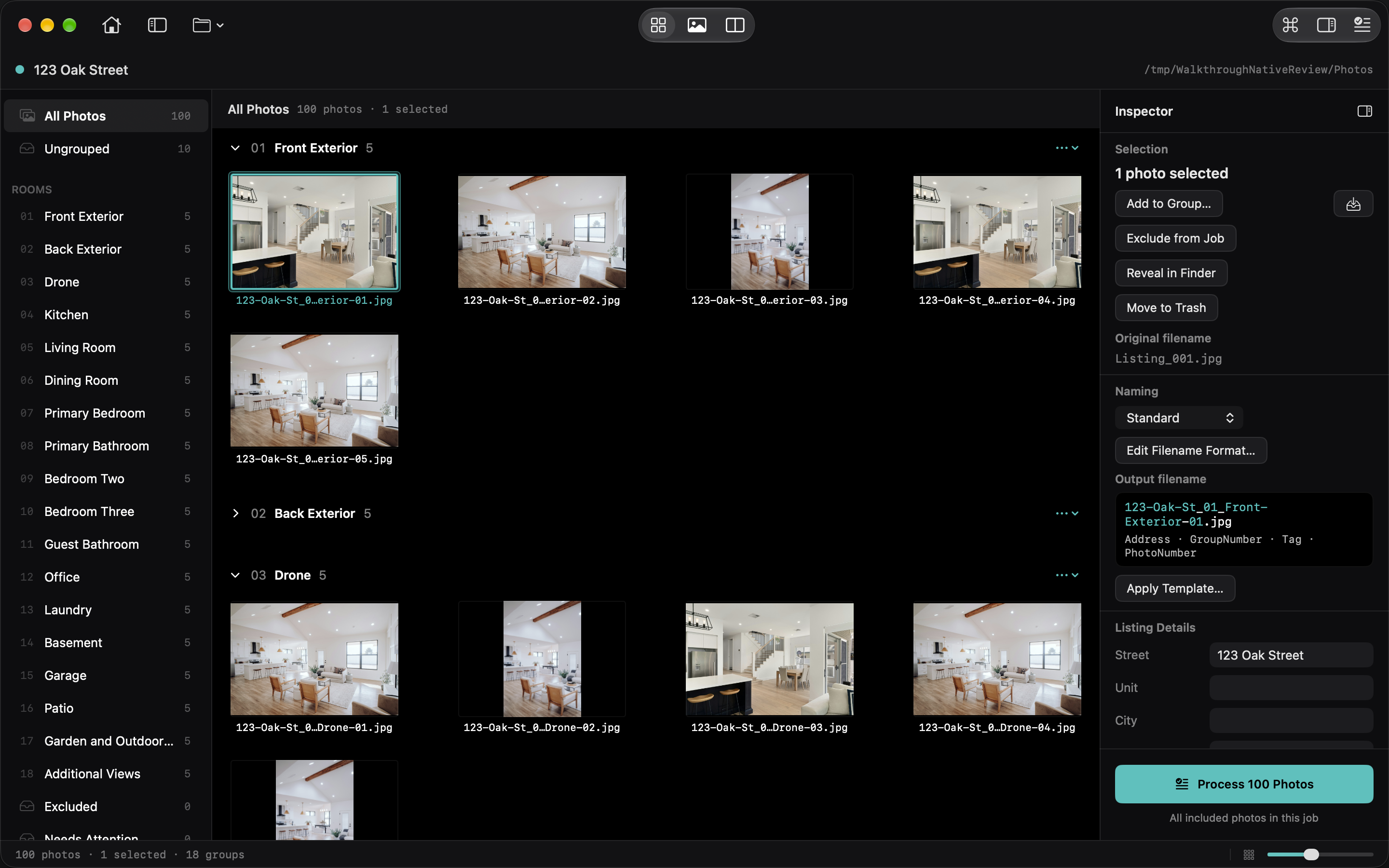
02 / RENAME THE WHOLE FOLDER
Set a naming format once. Walkthrough uses the address, room, and photo number to name the whole set. See every filename before you commit.
Rename files in place, copy them for delivery, or move them into a new folder. Keep a flat set or create numbered folders for each room.
Review your delivery optionsNumbered names support sorting by name. Check the final order after uploading to your MLS or website.
Example filenames. Your address, room names, and format are up to you.
03 / ADD THE FINISHING TOUCHES
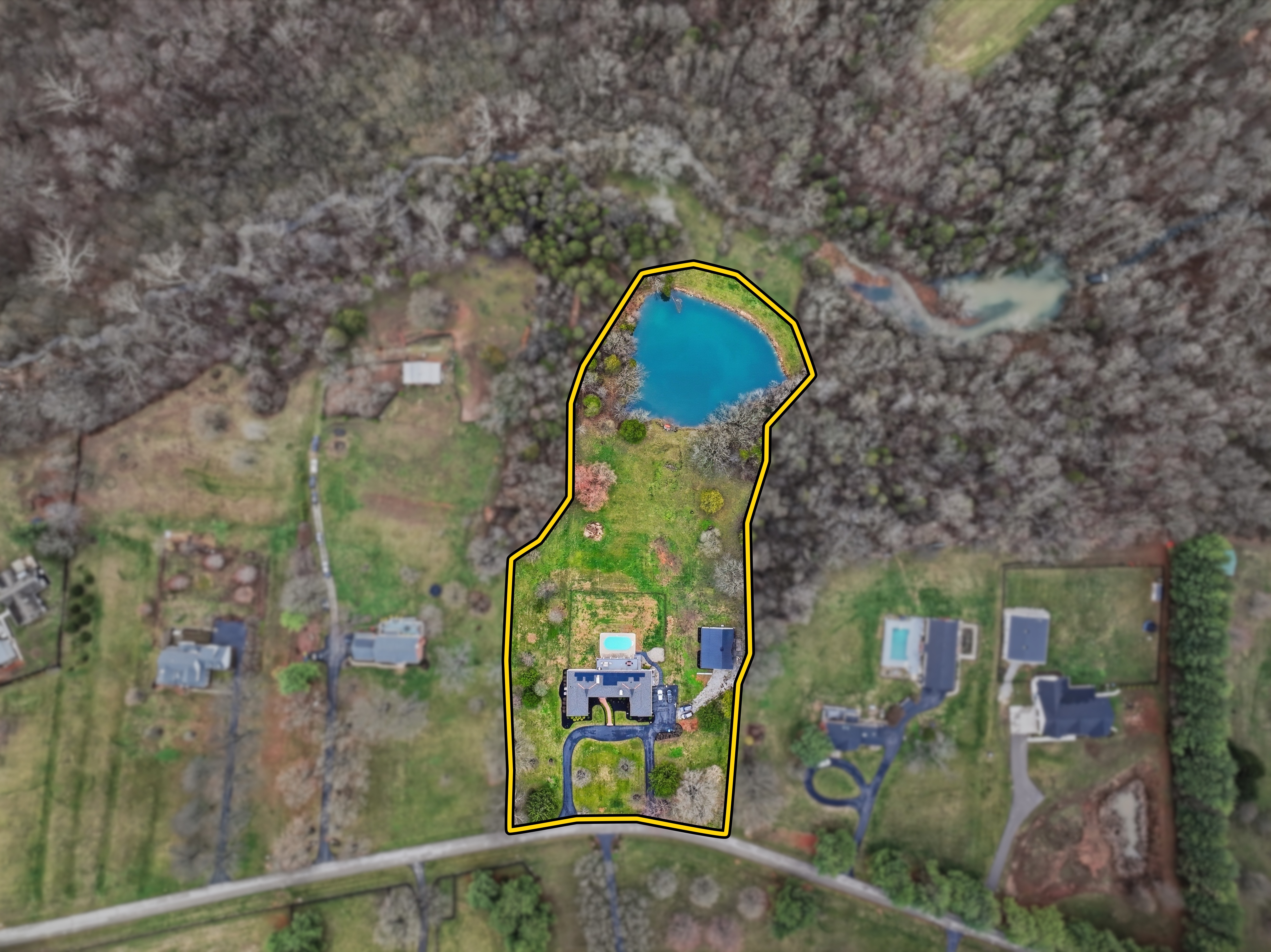
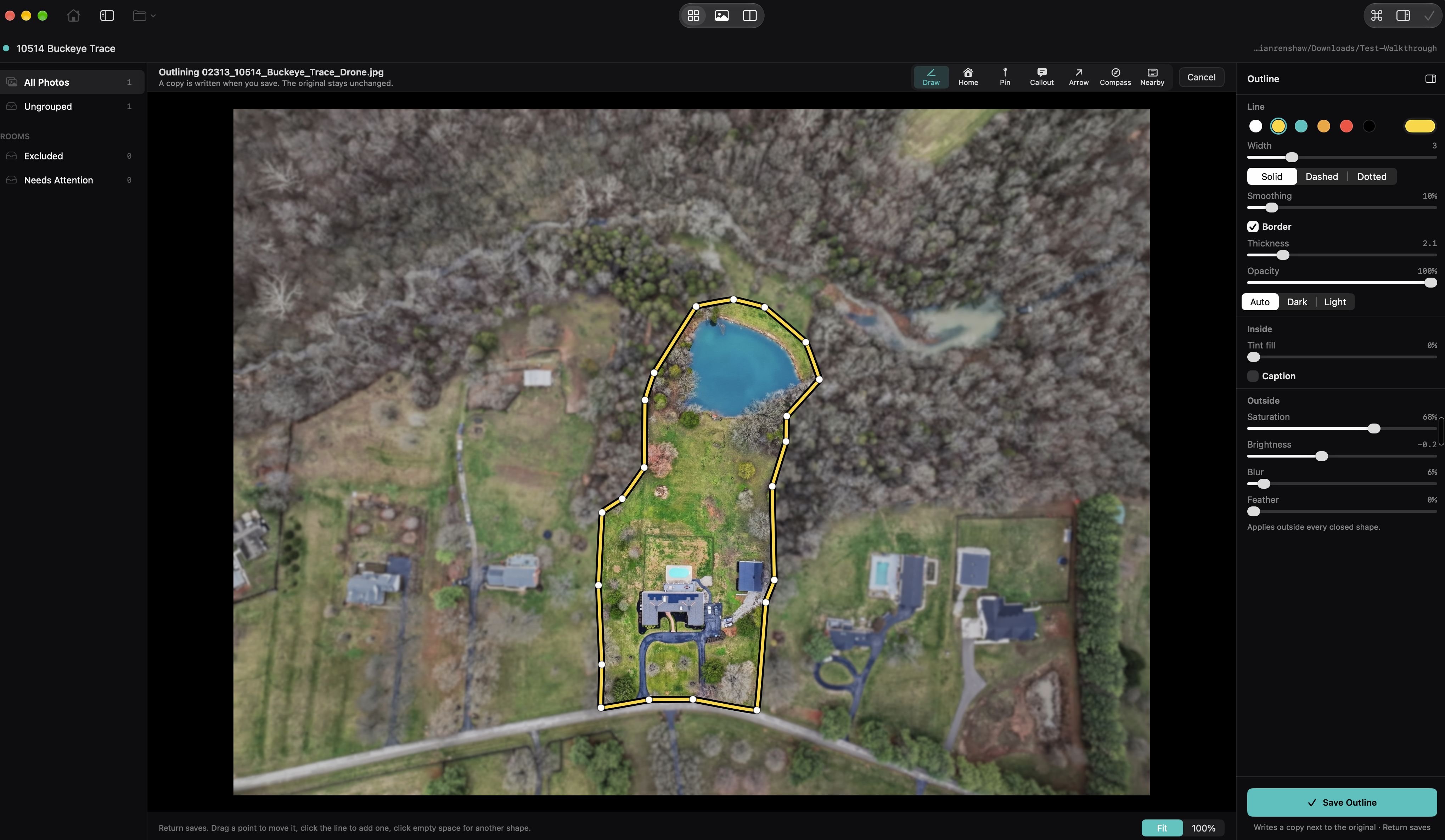
Draw a property boundary on a drone photo. Add labels or arrows to call out details, or crop and straighten an image.
Keep those finishing touches in the same job as your room order and filenames. Add nearby places with Apple Maps travel estimates when the location needs more explanation.
See how outlines workYou draw the boundary. Walkthrough does not look up or verify parcel lines.
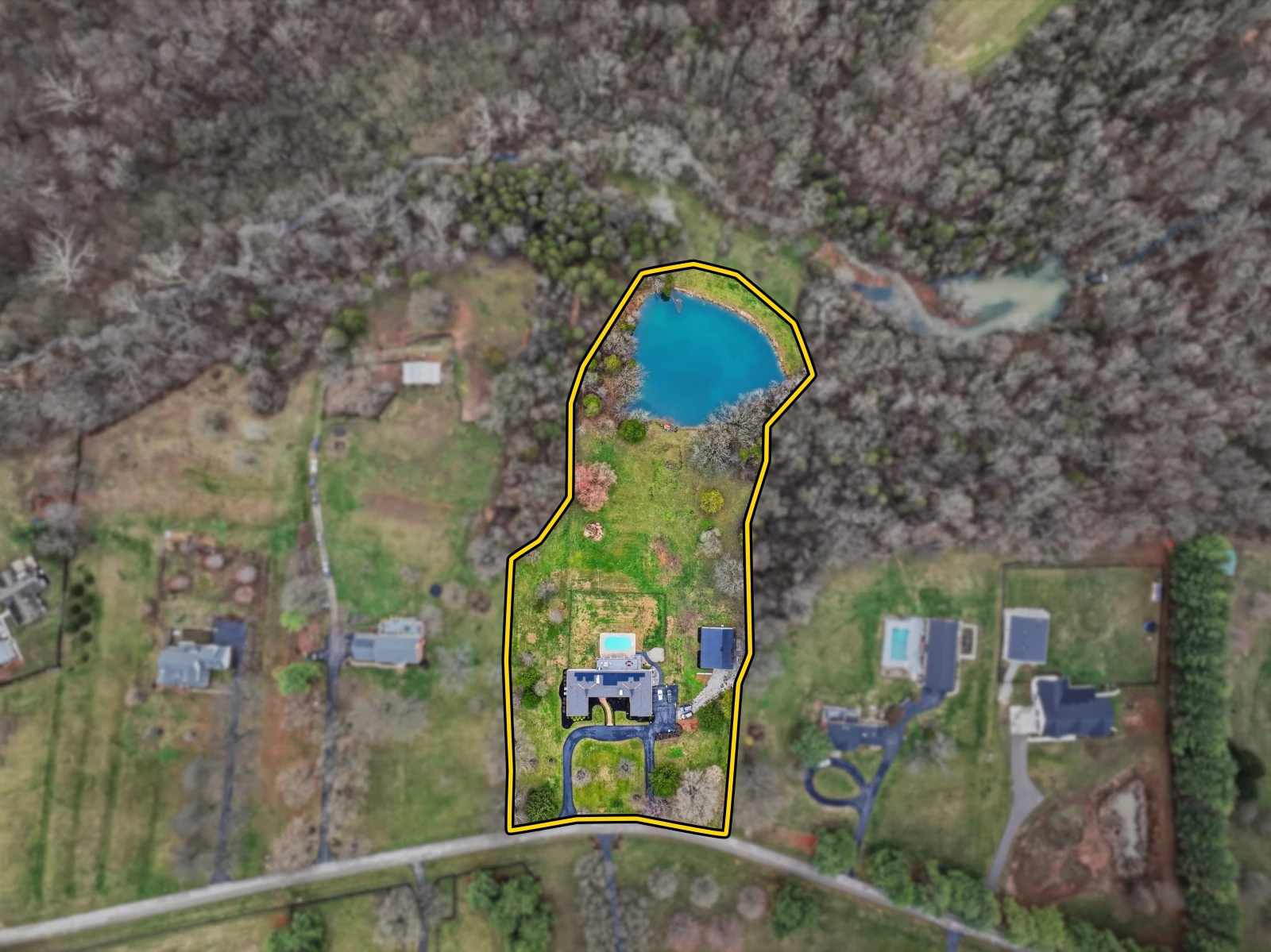 OriginalWith Walkthrough
THE COMPLETE TOOLSET
Use the tools each listing needs. Save your setup for the next one.
Group photos by room, arrange the rooms, and drag photos into the sequence you want.
Read the guideBuild filenames from the address, room, and photo number. Reuse naming presets and room orders.
Naming presets ↗Room templates ↗Preview filenames and destinations. Keep one output folder or create numbered folders for each room.
Read the guidePress ⌘K to find actions, rooms, presets, templates, and recent jobs.
Read the guideReopen jobs on your Mac. Export naming settings and templates for someone else to import.
Saved jobs ↗Sharing settings ↗Choose an aspect ratio, straighten a horizon, rotate, or flip. Save an edited JPG and keep the original.
Read the guideDraw and refine a boundary. Style the line, tint the property, or soften the area outside it.
Read the guideMark the home, call out a feature, point beyond the frame, or add a compass.
Read the guideSearch Apple Maps for places and estimated drive or walk times. Copy the list or add it to a photo.
Read the guideBEFORE YOU START
Both. Photographers can deliver an organized, consistently named set. Agents can arrange and rename the JPGs they receive before uploading them to the MLS. Both can add final details such as crops, labels, and property outlines.
Outlines and crops create edited JPGs and keep the source file. Rename only changes filenames, Copy leaves source files in place, and Move relocates files. Those three processing actions preserve the JPG image data.
Walkthrough works with JPG and JPEG files on macOS 14 or later, on Apple silicon and Intel Macs. No account is required.
Walkthrough prepares the files; you upload them to your MLS or website. Property outlines are drawn by you. It does not look up or verify parcel boundaries.
Save naming presets and room templates for later jobs. Export settings to a file another person can import. Saved jobs stay on your Mac; settings sharing does not sync photos or job history.
YOUR NEXT LISTING
Organize photos, preview filenames, and prepare the folder for your MLS.
macOS 14+ · Apple silicon & Intel · No account required
Walkthrough 1.5.0 · What’s new ↗