For photographers who shoot Sony and Fujifilm · macOS
Empty the card without the wait.
A card of raw files takes longer to look through than it took to shoot. Ingest reads the preview your camera already put inside each file, so the whole card is on screen at once. Tag the keepers, copy them out named the way you want, and never touch the card itself.
macOS 15 or later · Apple silicon · No account, no subscription
Version 0.1.0. This is an early release: the shape of the app is settled and it is what I use on my own work, but it is young.
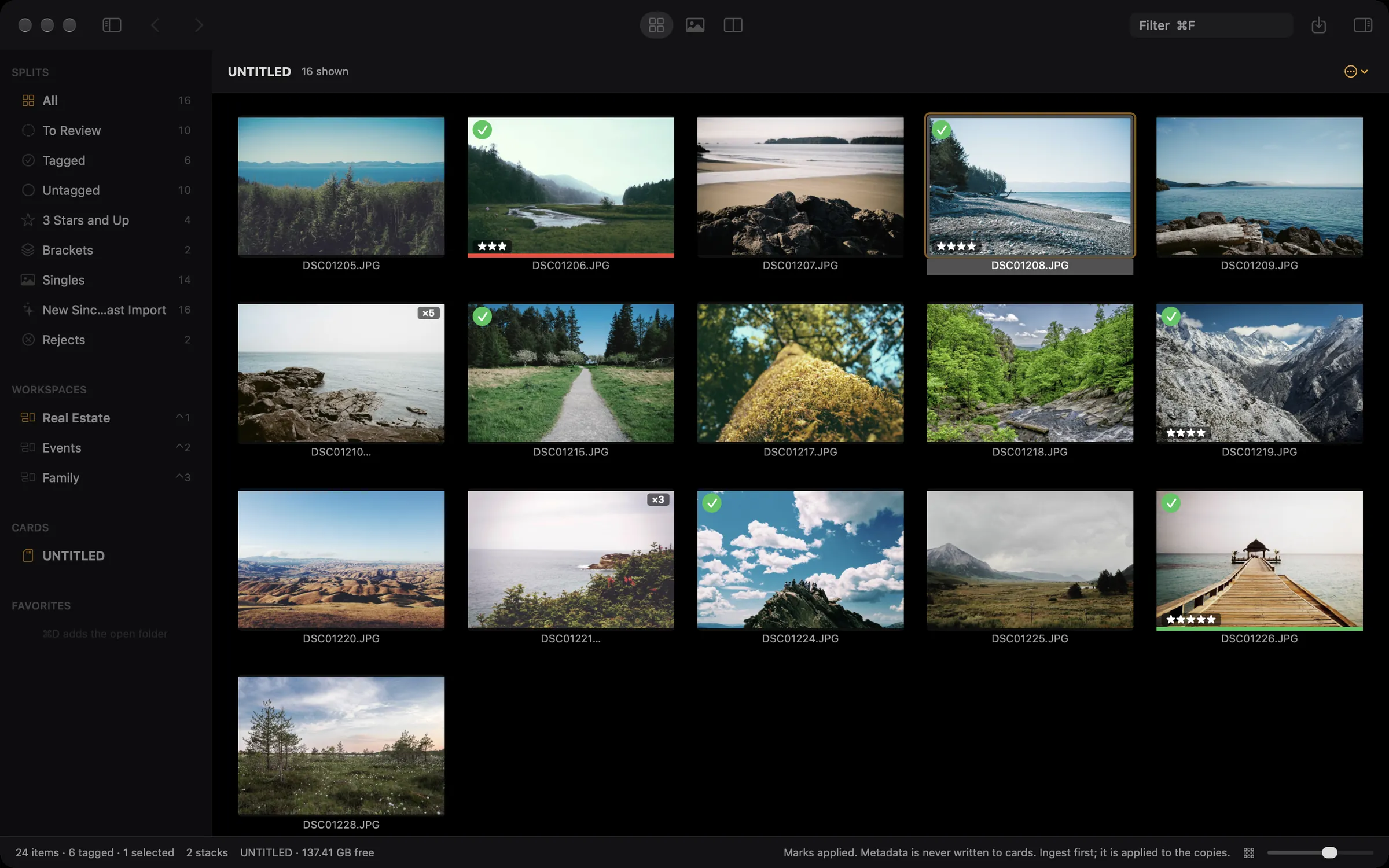
Card in. Keepers out. Nothing written back.A card part way through a cull. The counts on the left move as you mark. The photographs are demonstration images, not client work.01 / See
Every frame, the moment the card goes in.
Ingest never develops a raw file. It finds the JPEG the camera already wrote inside the ARW or RAF and shows you that, so arrowing through a full card feels like arrowing through thumbnails. No import step, no waiting for a background process to catch up.
02 / Cull
Decide with your hands on the keys.
Tag, reject, rate, and label without reaching for the mouse. Compare two frames with the zoom locked together, survey a bracket set at once, and let each set of exposures collapse into a single thumbnail. Undo works on all of it.
03 / Ingest
One copy, checked, named on the way out.
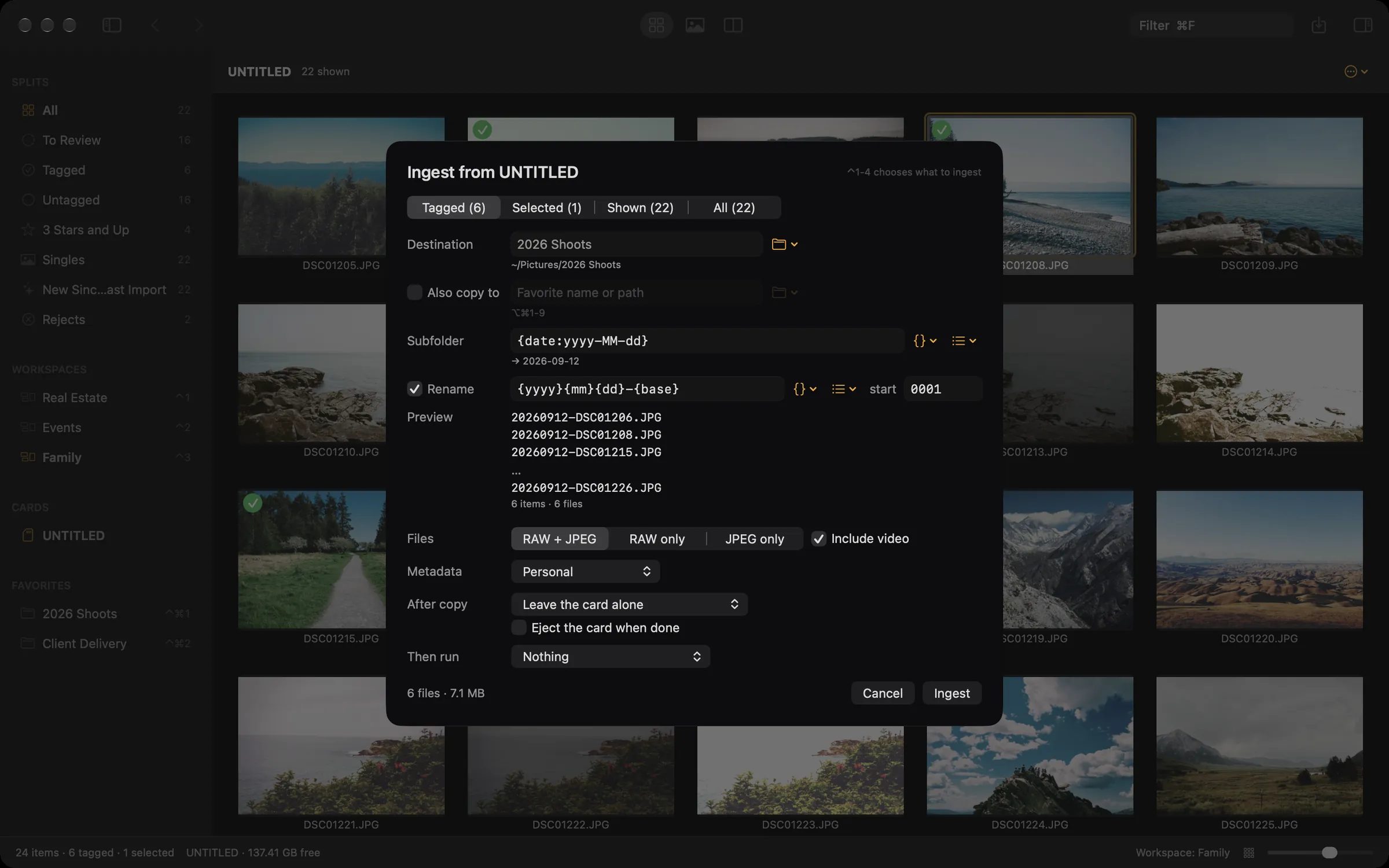
Ingest copies to one folder or two, reads each copy back and compares it to the original, and only then gives it its real name. It renames with a counter that never repeats, and writes the keywords, captions, and locations that Lightroom and Apple Photos read.
Built for the keyboard
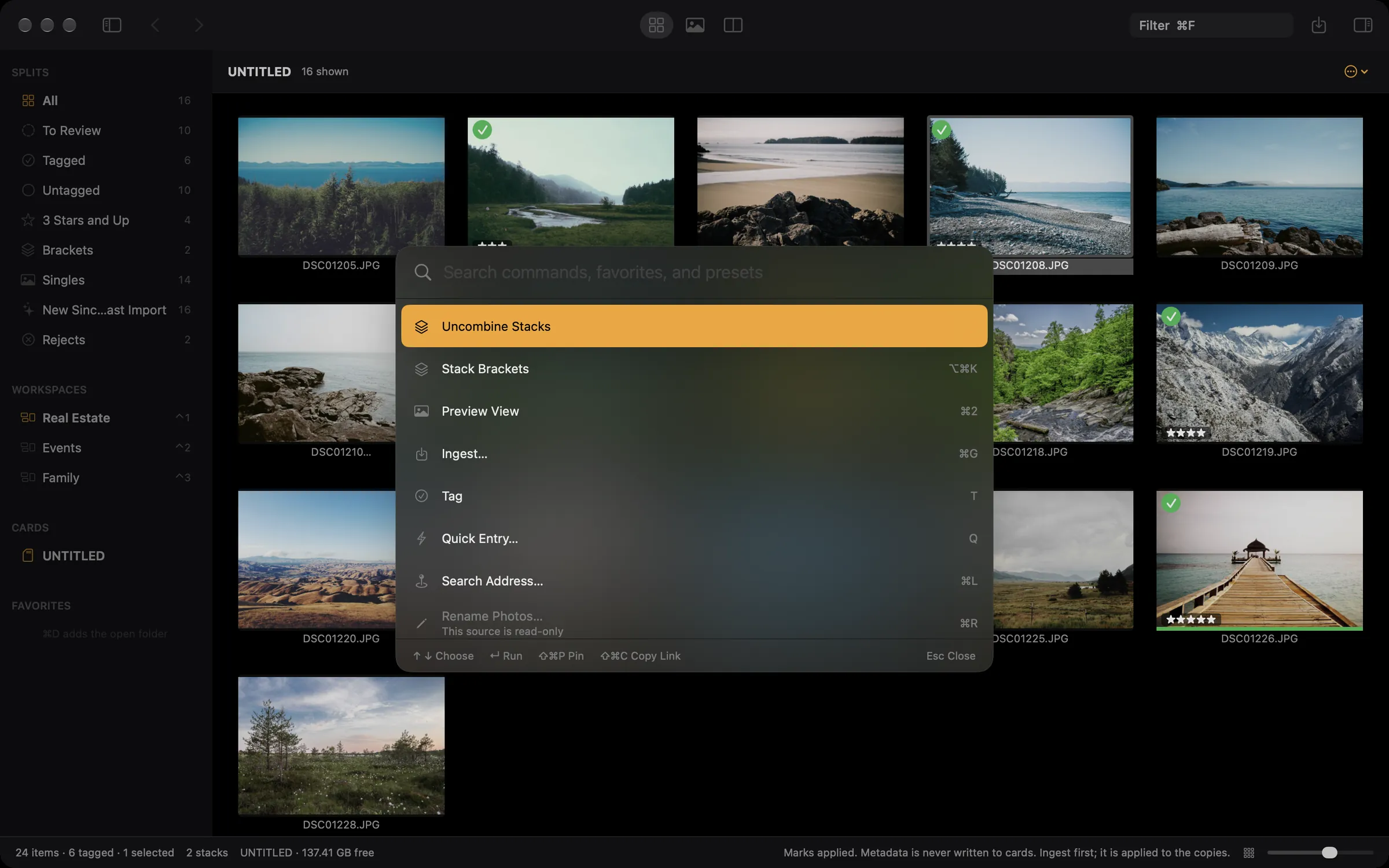
Every command has a key, or a name you can type.
Press ⌘K and type a few letters. Every command in the app is there, with its key printed beside it, so the palette teaches the keyboard while you use it. Commands that cannot run right now stay visible and say why, instead of disappearing.
All of it can be rebound. Settings lists every command, and you click its key and press the one you want. Nine keys stay fixed because they are how you move around, and the app says which.
A number that never repeats, and a preview before it writes.
Name templates are text plus tokens in braces, the same spelling you already know. {seqn} is one counter across every job you ever run, so files from three cards land in one folder without a collision. The sheet shows the real filenames before it copies anything.
The same tokens name the subfolder and fill in captions, so a preset that writes the address on every photograph of a job needs editing once, ever.
Ingest does not write metadata to a card, does not rename on a card, and does not delete from one except when you ask by name, after the copies have been read back and matched against the originals. That holds however you opened it, including a folder that happens to live on a card. It is not a preference, and Settings shows it with a lock instead of a switch.
Everything happens on your Mac. There is no account, no analytics, and nothing of yours is uploaded anywhere. Two features touch the network and the privacy page names both.
Ingest needs macOS 15 or later and an Apple silicon Mac. It reads Sony ARW and Fujifilm RAF at full speed, along with JPEG, HEIC, and video. What it does with everything else.
 Ingest