 Ingest
Ingest / Naming and typing
Names, numbers, and one line of shorthand.
A name template is text plus tokens in braces. The same tokens name files, name subfolders, and fill in captions. Quick entry is the other half: one line that describes a photograph instead of visiting five fields.
How a template works
Anything in braces is replaced. Anything else is kept as you typed it. So {yyyy}{mm}{dd}-{seqn} becomes 20260912-0001, and Wedding-{seq} becomes Wedding-1.
Some tokens take an argument after a colon. {seqn:4} sets the width of the number, {date:MMMM d, yyyy} sets a date format. To write a real brace, double it: {{ and }}.
Templates are used in four places: renaming during ingest, renaming in place with ⌘R, naming the subfolder that ingest creates, and filling in captions and titles in a metadata preset. Settings, Renaming keeps your saved templates and shows a live example as you type.
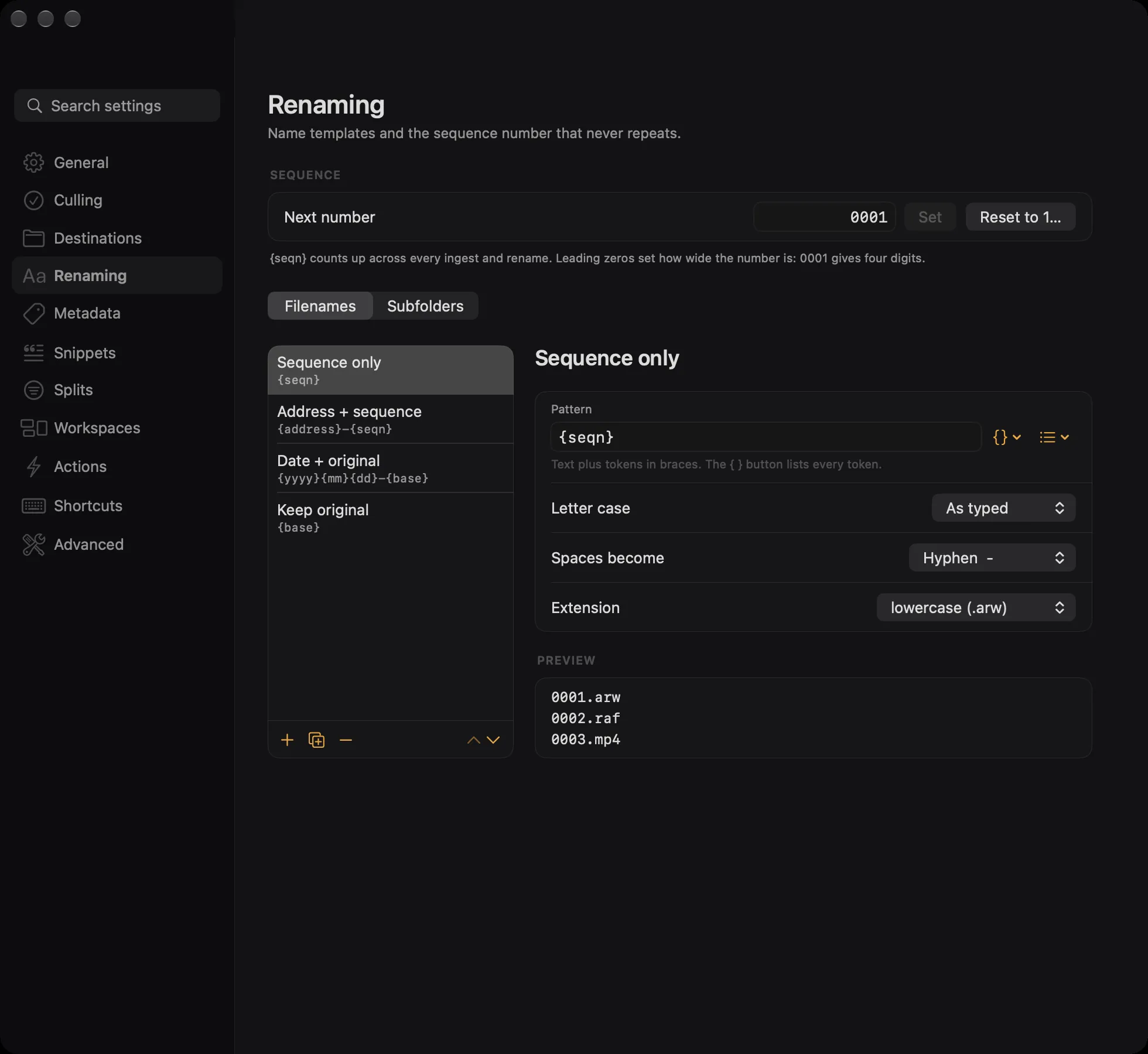
A template also decides letter case, what spaces turn into, and the case of the extension. The default turns spaces into hyphens and lowercases the extension, which is what keeps filenames easy to sort and safe to send anywhere.
A token that has no value disappears, and takes the separator next to it with it, so a missing address does not leave a stray hyphen at the front of every name.
Every token
The { } button next to any template field lists these with their meanings, so you never have to remember the spelling.
Numbers
| Token | Value |
|---|---|
{seqn} | The counter that never repeats, shared by every ingest and rename. See below. |
{seq} | A counter for this job only, starting at whatever you put in the start field. |
{frame} | The number the camera gave the file. DSC01206 gives 01206. |
{stack} | Which bracket set this photograph belongs to. Empty for photographs that are not in one. |
{stackframe} | Which frame within that set. |
All five take a width: {seqn:4} gives 0001. Widths from 1 to 12.
The file itself
| Token | Value |
|---|---|
{base} | The original name without its extension. Takes upper or lower. |
{filename} | The same thing, under its other name. |
{ext} | The original extension. |
{folder} | The name of the folder the photograph came from. |
{dest} | The name of the folder it is going to. |
When it was taken
| Token | Value |
|---|---|
{date:yyyy-MM-dd} | The capture date in any format you like. {date:MMM d} gives Sep 12. |
{yyyy} {yy} | Year, four digits or two. |
{mm} {dd} | Month and day. |
{hh} {mn} {ss} | Hour, minute, second. |
All of these read the capture time from the file, not the time it was copied. If a camera wrote no capture time, the file's own date is used.
The camera
These work in filenames. They are left out of the subfolder menu because a whole folder of photographs rarely shares one exposure.
| Token | Value |
|---|---|
{model} | Camera model, such as ILCE-7RM5. |
{lens} | Lens model. |
{iso} | ISO. |
{shutter} | Shutter speed, made safe for a filename: 1/500 becomes 1-500. |
{aperture} | f8. With {aperture:raw}, just 8. |
{fl} | 16mm. With {fl:raw}, just 16. |
{ev} | Exposure compensation: 0, +0.7, -1.3. |
Where it was taken
| Token | Value |
|---|---|
{address} | The street address you set with ⌘L, cleaned up for a filename: 421 US Highway 2 becomes 421-US-Hwy-2. |
{street} | The same value. |
{city} {state} {zip} | The rest of the address. |
The sequence number
{seqn} is one counter for everything you do in Ingest. It goes up as files are named and it never goes back, so no two photographs you have ever named end up with the same number. That is what makes it safe to drop a hundred files from three different cards into one folder.
The width comes from the zeros you type. 0001 in the start field gives four digits, so 7078 comes out as 7078 and 42 comes out as 0042. Leading zeros are what keep files in order when something sorts them as text.
Planning a job never moves the counter. The Ingest sheet shows you the names it would write, and the counter only advances by the number of files actually named. A cancelled ingest costs you nothing, and a failed file does not burn a number.
Settings, Renaming shows the next number and lets you set it, which is the equivalent of Photo Mechanic's Set Sequence. Reset to 1 asks first, because reusing numbers you have already used is the one thing this counter exists to prevent.
{seq} is the other counter: it starts wherever you say, for this job only, and it is the right choice when a client wants photographs numbered from one.
Examples
| Template | Result |
|---|---|
{seqn} | 7078.arw |
{yyyy}{mm}{dd}-{base} | 20260912-DSC01206.jpg |
{address}-{seqn} | 421-US-Hwy-2-7078.arw |
{date:yyyy-MM-dd}-{city}-{seq:3} | 2026-09-12-Seaside-001.jpg |
{base}-{stack}-{stackframe} | DSC01210-1-1.jpg, for the first frame of the first bracket set |
{model}-{fl}-{seqn} | ILCE-7RM5-16mm-7078.arw |
A RAW and JPEG pair always gets one name with two extensions, so 20260912-DSC01206.arw and 20260912-DSC01206.jpg stay together wherever they go.
Subfolders
The Ingest sheet can put each job in its own folder, named by the same kind of template. {date:yyyy-MM-dd} gives 2026-09-12, and {address} gives a folder per listing.
Subfolder templates cannot use the per file tokens, because a folder cannot have a different name for each photograph inside it. {seqn}, {seq}, {frame}, {base}, {ext}, {stack}, and {stackframe} are refused with an explanation rather than silently ignored.
When names collide
Ingest never overwrites a file and never quietly adds a suffix to make room. If two photographs would get the same name, or a name already exists at the destination, it says so before it starts and will not begin until you fix it.
The messages are specific: how many photographs would share a name, which name already exists, or that only the letter case differs. The hint is always the same, because the answer usually is: add {seqn} or {seq} so every name is unique.
Renaming in place has one extra case. If a name would not actually change, Ingest tells you rather than doing nothing and looking broken.
Quick entry
Press Q and type one line. Ingest reads it and applies all of it at once, to everything selected. The order does not matter and most of it is optional.
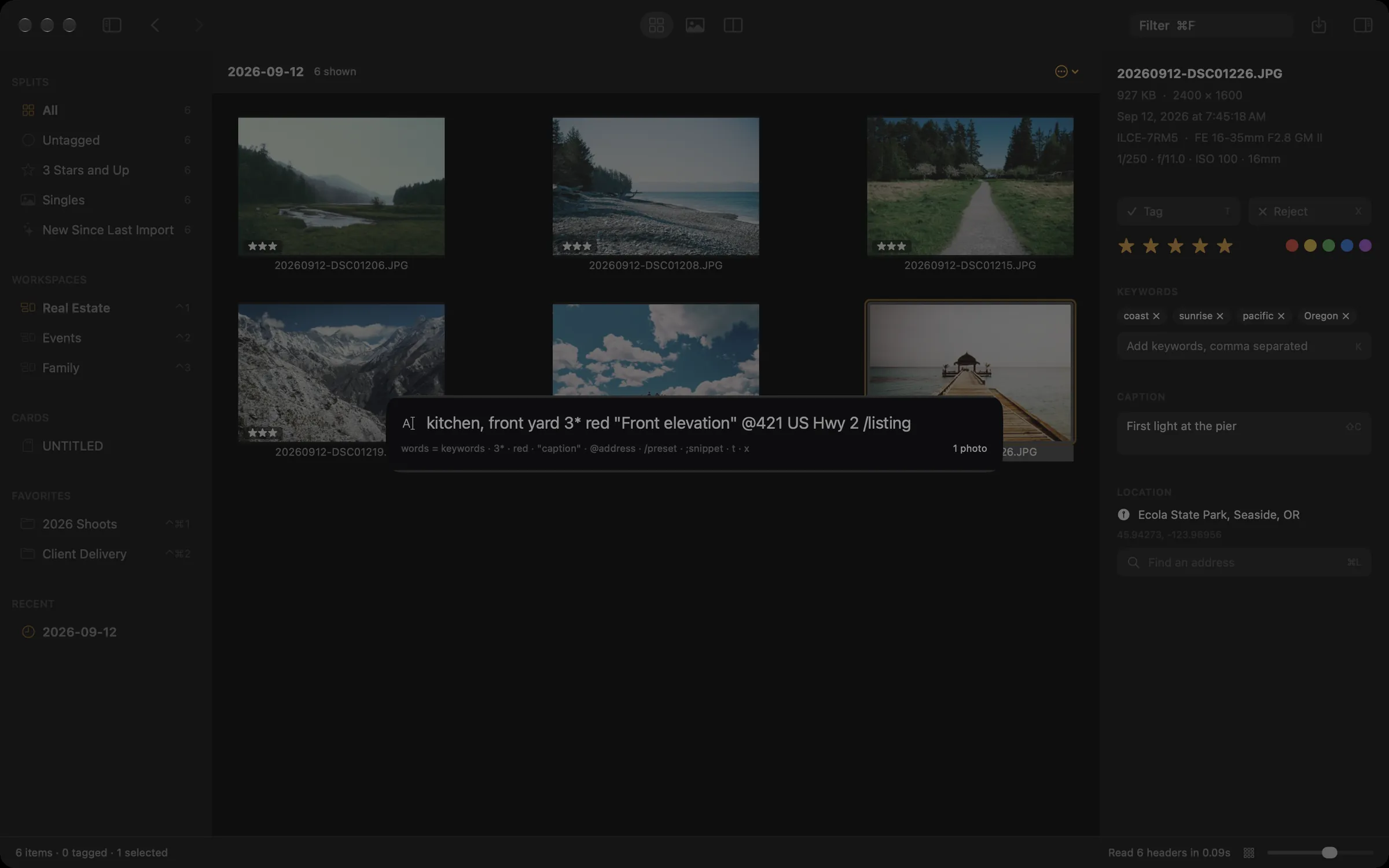
| You type | It means |
|---|---|
coast sunrise | Two keywords. Bare words are keywords. |
front yard, kitchen | With a comma anywhere in the line, each comma separated run is one keyword. So this is two keywords, not three. |
#family | A keyword, even when the word would otherwise mean something else. |
3* *** 3 stars | Three stars. 0* clears the rating. |
red r 🔴 | A colour label. Also yellow, green, blue, purple, and their first letters. |
"First light at the pier" | The caption. Curly quotes work too, and a quote you never close runs to the end of the line. |
@Ecola State Park | Look up that address and set the location. It runs to the next comma or the end of the line. |
/listing | Apply the metadata preset with that name. |
;addr | Expand a snippet. See below. |
t tag x reject | Tag or reject. untag and unreject undo them. |
The one rule worth knowing: a word like red counts as a command only when its whole comma separated segment is commands. So red door, kitchen gives you two keywords, and kitchen, red gives you a keyword and a colour. That is what lets you write ordinary English without escaping anything.
The same line works from a link, which is how an external script or a Stream Deck button can mark a photograph. See the URL scheme.
Snippets
A snippet is a short name that expands into longer text. Type ;addr in quick entry, a caption, or the keyword field, and it becomes whatever you defined, tokens and all.
The shipped one is ;addr, which expands to {address}, {city} {state}. Settings, Snippets is where you add your own, and it shows you how quick entry will read the result while you are still typing it.
Snippets expand once and do not nest, and a name Ingest does not recognise is left alone rather than deleted. If two snippets share a name, the first one wins.